Evaluating the 3D Text Effect Design Super Offer for Professional Graphic Workflows
In the fast-paced world of digital marketing and print-on-demand, visual hierarchy is everything. Designers and business owners constantly seek ways to make headlines pop without spending hours on complex rendering techniques. This is where pre-styled assets like the 3D Text Effect Design Super Offer come into play. Rather than building a three-dimensional typographic effect from scratch using lighting engines, extrusion tools, and shadow layers, this resource provides a ready-made, high-fidelity solution. But is a template-based approach right for your specific project needs? Understanding the mechanics, flexibility, and limitations of such tools is essential for making an informed decision about your design workflow.
Understanding the Core Value Proposition
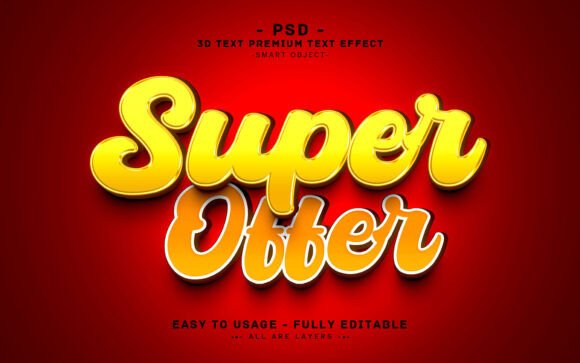
The primary appeal of the 3D Text Effect Design Super Offer lies in its efficiency. It is not merely a static image; it is a fully editable Photoshop file built around Smart Objects. For those unfamiliar with this feature, Smart Objects allow you to double-click a layer, type your new text or paste your vector shape, save, and have the entire 3D effect update automatically. This preserves the original quality and applies all lighting, bevels, and shadows consistently.
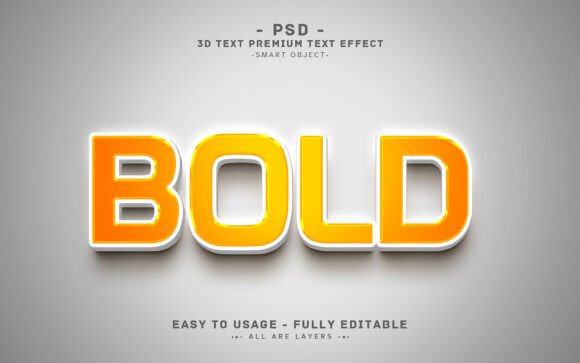
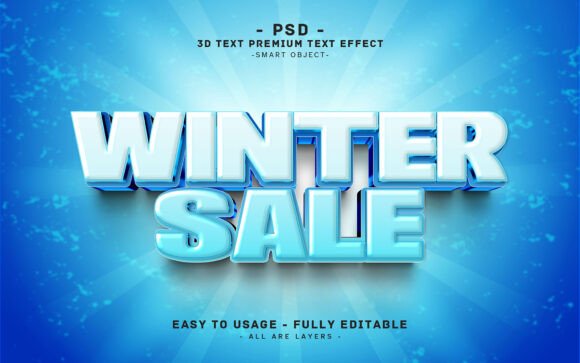
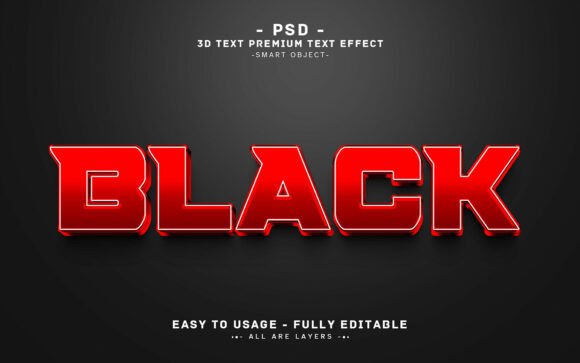
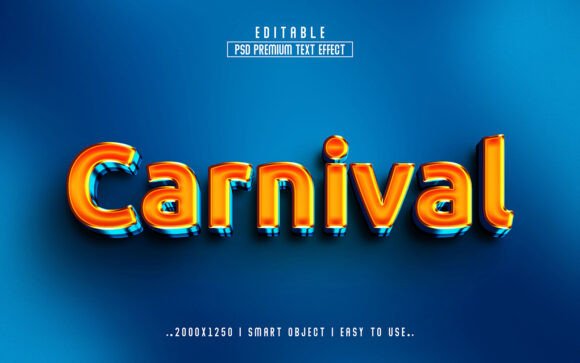
This particular asset features a bold, stylized font that commands attention. The vibrant color palette and deep dimensional shading are optimized for high-impact scenarios. Whether you are designing a web banner, a T-shirt graphic, or a KDP book cover, the visual weight of the text ensures it stands out against busy backgrounds. The inclusion of a help text file and well-organized layers further reduces the learning curve, making it accessible even to those with intermediate Photoshop skills.
Comparison with Manual 3D Creation Methods
When evaluating design resources, it is helpful to compare template usage against manual creation. Building a 3D text effect manually offers unlimited customization. You can control every angle of light, the depth of extrusion, and the material properties. However, this process is time-consuming and requires a strong understanding of lighting physics and software capabilities.
In contrast, the 3D Text Effect Design Super Offer sacrifices some granular control for speed. You are working within the constraints of the pre-set style. If your project requires a specific, non-standard lighting direction or a unique material texture not included in the file, you may find yourself limited. However, for standard marketing materials where consistency and speed are prioritized over bespoke artistic experimentation, the template approach is often superior. It ensures a professional finish without the risk of amateurish lighting errors that often plague DIY 3D attempts.
Versatility Across Different Media Formats
One of the critical factors in choosing a design asset is its adaptability. This specific 3D text effect is delivered at 2000×1200 pixels with a resolution of 300 DPI in RGB color mode. Let us break down what this means for various use cases:
- Digital Marketing: The RGB color space is ideal for screens. The high resolution ensures that the text remains crisp on retina displays and large desktop monitors. It is perfectly suited for website headers, social media ads, and email newsletter banners.
- Print-on-Demand (POD): While 300 DPI is the standard for print, the physical size matters. At 2000 pixels wide, this asset is excellent for T-shirts, mugs, and posters up to a certain size. For large-format printing like billboards, you might need to upscale the image or use a vector-based alternative, but for most consumer goods, the quality is sufficient.
- Book Covers: For Kindle Direct Publishing (KDP) and other self-publishing platforms, bold typography is a key sales driver. The 3D effect adds a premium feel to fiction and non-fiction covers alike, helping them stand out in thumbnail views on online marketplaces.
The ability to use vector shapes or any kind of shape within the Smart Object adds another layer of versatility. You are not strictly bound to text; you can insert logos or icons, though the effect is optimized for letterforms.
Technical Considerations and Limitations
Before purchasing or downloading any design resource, it is vital to understand the technical requirements. The 3D Text Effect Design Super Offer requires Adobe Photoshop. It does not work in free alternatives like GIMP or online editors like Canva unless you flatten the image first, which defeats the purpose of editability. If you do not have access to Photoshop, this tool is not a viable option for you.
Additionally, while the layers are well-organized and grouped, users should be aware that changing the fundamental structure of the 3D effect—such as altering the angle of the extrusion significantly—may require advanced knowledge of Photoshop’s blending options and layer styles. The template is designed for text replacement and color tweaking, not for reconstructing the 3D geometry from scratch. If your brand guidelines require a very specific, unconventional 3D perspective, you may need to look for a different style or create it manually.
Decision Factors: When to Choose This Asset
Choosing the right design tool depends on your current resources and project goals. Here are some scenarios where the 3D Text Effect Design Super Offer is likely the best fit:
- Tight Deadlines: If you need a high-quality banner for a flash sale or a last-minute promotional campaign, this template can reduce production time from hours to minutes.
- Consistent Branding: If you are creating a series of materials (e.g., a YouTube thumbnail, an Instagram post, and a Facebook ad) and want them to look cohesive, using the same 3D style ensures visual unity.
- Limited 3D Skills: If you are a graphic designer who excels in layout and typography but lacks confidence in 3D rendering, this tool bridges the gap, allowing you to deliver professional-grade 3D effects without the steep learning curve.
Conversely, you might consider alternative options if:
- You require full vector scalability for infinite resizing without quality loss. In this case, a 3D plugin for Illustrator or a dedicated 3D software like Blender might be more appropriate, though they require more skill.
- Your project demands a highly unique, artistic interpretation of 3D space that deviates significantly from standard bold, vibrant styles.
- You do not have access to Adobe Photoshop or prefer cloud-based, collaborative design tools.
Maximizing the Utility of the Template
To get the most out of the 3D Text Effect Design Super Offer, take advantage of the included help guide. Even experienced designers can benefit from understanding how the specific layer styles are constructed. This knowledge allows you to tweak colors and lighting subtly to better match your brand palette. For instance, if your brand uses pastel tones, you can adjust the highlight and shadow colors within the Smart Object settings to soften the aggressive 3D look, making it more suitable for lifestyle or wellness products.
Furthermore, consider the context in which the text will appear. Because the effect is bold and vibrant, it works best against contrasting backgrounds. Placing it on a cluttered or similarly colored background may reduce its impact. Use the transparency and blending modes in Photoshop to integrate the 3D text seamlessly into your existing compositions.
Final Thoughts on Design Efficiency
In the broader landscape of graphic design resources, templates like the 3D Text Effect Design Super Offer serve as powerful accelerators. They do not replace creativity but rather remove technical barriers, allowing designers to focus on message and composition. By offering a high-resolution, editable, and well-structured file, this asset provides a balanced solution for professionals and enthusiasts alike. Whether you are updating a website header or launching a new product line on a POD platform, evaluating such tools based on their fit for your specific workflow ensures that you invest time and money wisely. Always weigh the convenience of pre-made effects against the need for custom uniqueness, and choose the path that best serves your project’s objectives.